M Hadi /
the aesthetic look that filmmakers love yet artists hate
an exploration of film grain and an early preview of onegrain
Over the past 10 months, there’s a problem that’s been bugging me, and is like an itch that just can’t be scratched. Why is this simple aesthetic look such a challenge to work with?
Here’s some context - every camera you record with picks up a certain amount of something called “noise”. This noise is a random optical texture pattern of pixels that become visible especially in low light. Noise is bad, and filmmakers work to avoid it being visible through making sure scenes are well-lit. But when working with actual film rather than digital cameras, a similar optical texture can be captured called “grain”, caused by the chemical processing of the film.
When done correctly, grain can actually enhance the look of cinematic media causing it to look authentic - like it was shot on film even when it wasn’t. Filmmakers often chase this look, sometimes going as far as recreating synthetic grain during post-production for the sake of getting the “film aesthetic”.
Which is great. But for a VFX artist, grain and noise are both a nightmare to work with: any sort of VFX work becomes nearly impossible when you’re working directly off a shot with this random texture patterns.
So the industry works in three steps: remove the grain, do the work, bring the grain back. Sounds simple. In reality, both ends of that process are extremely tedious, and each one is ruled by a king that nobody has come close to beating.
But why does this even matter to me?
I work at sync. labs, where we do masked video generation: taking a video and fully preserving every aspect of it except the small portion you’re looking to modify, whether that’s emotions, appearances, performances, or the lips themselves.
We’ve been exploring these research problems for the past seven years and commercialized our lipsync pipeline in 2023. sync-3 was a breakthrough in preserving unique speaker style while reasoning about the environment the speaker is in (lighting scenarios, occlusions), which means we already handle grain quite well out of the box.
But as we’ve been working with more studios and take on more client projects, we’ve seen that removing any kind of noise or grain before lipsync only results in higher quality outputs, no matter the scene or the shot.
The two kings
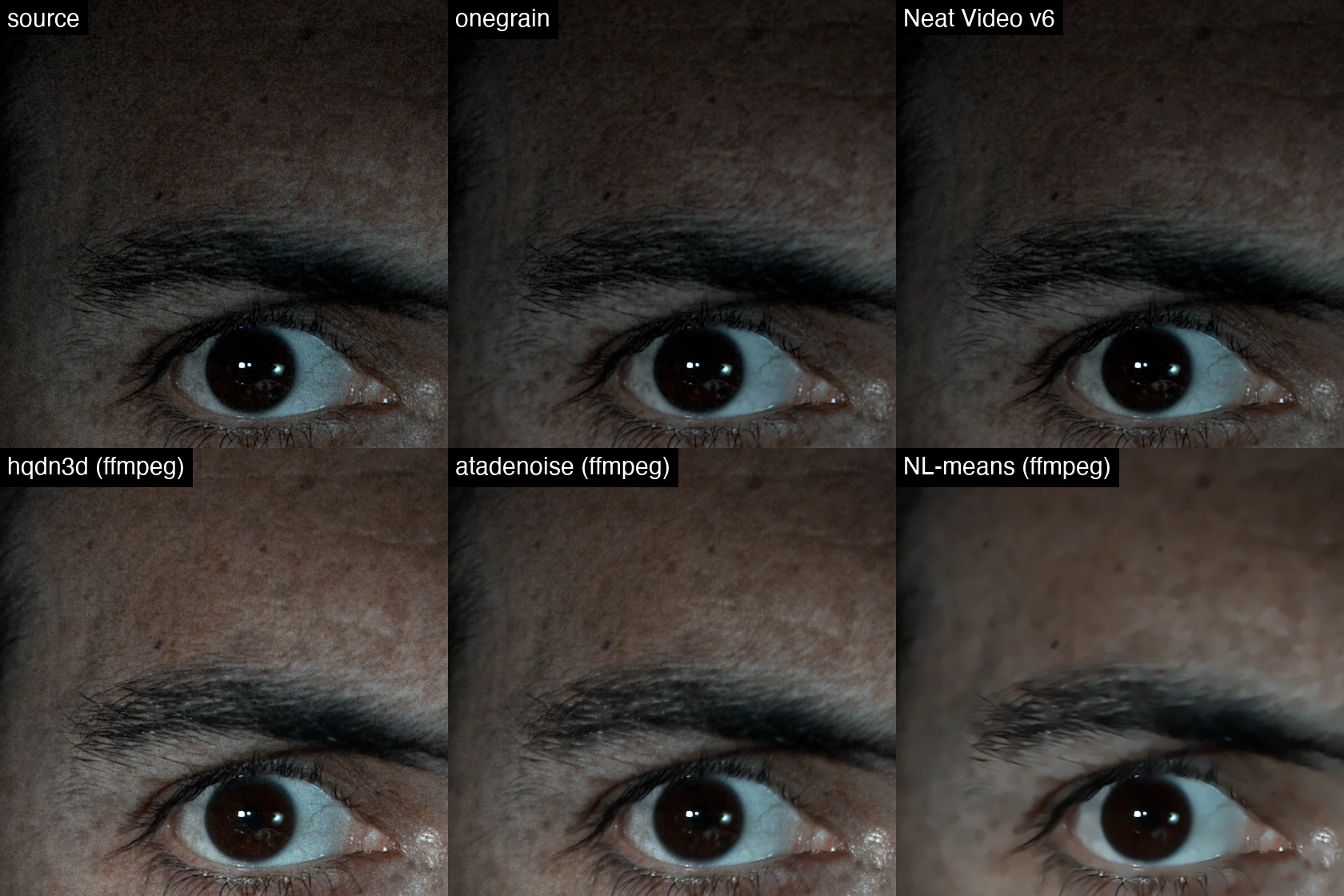
The processing of removing noise or grain is generally referred to as denoising. Many people assume that grain and noise are the same, leading to the first problem - most approaches to the problem focus on noise reduction and not grain reduction. Classic denoise algorithms that ship with every editor (including ffmpeg’s) aren’t an option: they lose so much detail that faces and objects come out looking like plastic.
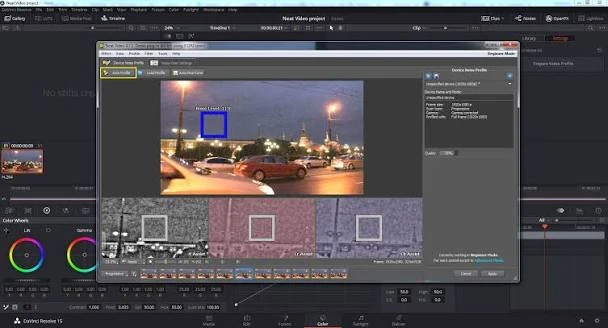
Rather, an alternative approach is needed, which is intentional denoise tailored to film grain specifically across the three channels (red, green, blue). The king within the industry for degraining is Neat Video. It’s this ancient-looking software where you pay per seat, per application, and worst of all, there’s no bulk processing. A proper degrain means a VFX artist going shot by shot, manually tweaking settings for every single one.
You’d think you could automate Neat. An API, maybe even the accessibility features. Nope. They’ve disabled every single way of automating anything within the app. They did recently add an auto profile setting, but apply it blindly to an entire scene or movie and it’s not going to work.
On the regraining side, the king is a Nuke gizmo named DasGrain, created by Fabian Holtz. Once VFX is done on a shot, you can’t just reapply the original grain, because a portion of the shot has been modified. You need to synthesize grain that matches the original plate as best as possible while looking natural on the new version.
DasGrain does this well, and thankfully is free and open-source, but the fundemental issue is in the fact that it’s a Nuke gizmo - the workflow only exists inside Nuke. This means every time a VFX artist finishes making changes to their shot, they need to regrain before sharing it, and repeat after every iteration.
So after months of experimentation with these two kings, I decided to tackle this problem once and for all with onegrain.
10 months of failed attempts
I first came across the concept of degraining and regraining 10 months ago. I experimented with ffmpeg and a whole bunch of other command-line approaches. Safe to say, all of them were very disappointing. Since then, I’ve thrown the same problem at every new AI model launch, and none of them could build the ideas I had in mind.
Two months ago, I spent a long time with GPT-5.5 trying to train a model on a bunch of clips: synthesize fake noise, degrain, compare, then regrain back to that same fake original. That didn’t work either, and it’s an approach that would need to be done at massive scale.
I even built a hacky screen-parsing CLI tool that captures the screen into text coordinates and simulates clicks — literally editing in DaVinci Resolve for me, running Neat Video shot by shot at around 10 seconds each. It automated the whole pass, but OCR and click automation were never going to scale.
Finally, after discussing this with our team at sync. labs - especially our in-house VFX artists who have worked within the industry for over a decade - I decided to see if we could topple these two kings and build something that foundationally is adaptable to different workflows and bridges the gap between degrain and regrain.
One process for grain
Here’s the thing about Neat Video though: it’s not generative AI. There’s no neural network. It’s an extremely specialized algorithm that’s extremely strong at handling all sorts of cases. It detects the noisiest frame within a shot, finds a patch of solid video within that frame with the most noise, and from that patch understands how much noise it can extract without making the video look bad. Then it processes the whole shot, extremely quickly.
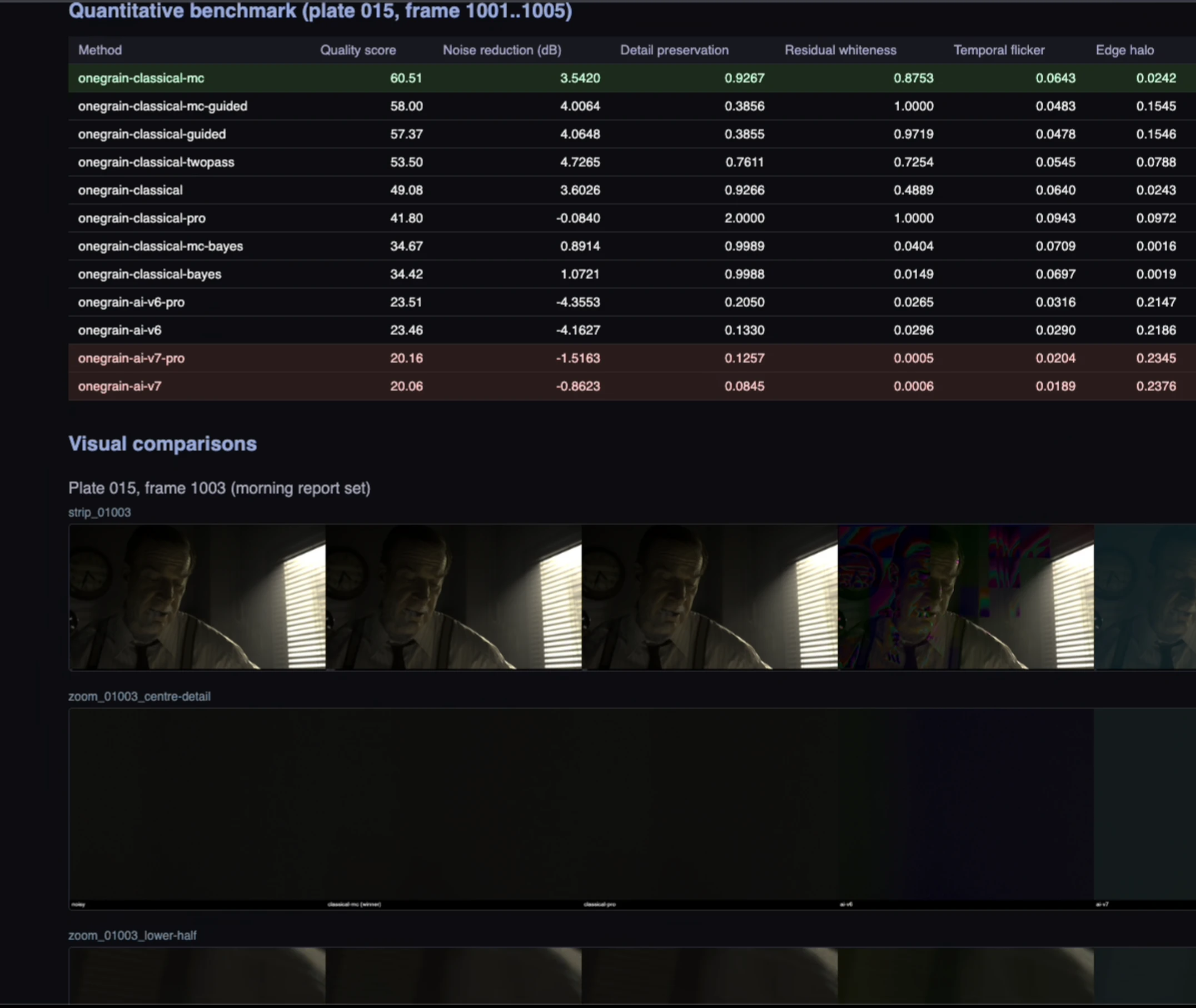
Using this same method and some experimentation with the help of the latest LLMs including Claude Fable, we were able to build an algorithm that not only meets the quality of Neat Video, but surpasses it, through intentional grain removal that preserves the look of the video.
For regraining, Fabian Holtz’s DasGrain was an incredible resource to use as inspiration for the onegrain pipline. This means that regraining can now be done in bulk without artists having to go do it manually. And since it’s automated, it can take an iterative approach, running multiple render passes and continuously working until it matches the grain level of the original plate.
To be honest, it’s not perfect yet, but the results are quite promising:
onegrain runs in the simplest of forms directly from the command line, is exposed as an API, and integrates as a native OFX plugin - meaning you can connect it to Nuke, DaVinci Resolve, Baselight, or any other application that supports OFX.
For years, Neat Video and DasGrain have been incredible for unlocking workflows for VFX artists specifically. But what if these workflows didn’t have to be only for VFX artists? What if the entire processing pipeline could work with the same tools VFX has been using all along?
I’m personally very excited to keep learning more in this field and iterating on onegrain, and working directly with our VFX artists to ensure we build it with their workflows in mind. We’re just getting started, and I hope to share an update on the next version of onegrain soon.